 Free and open source, MIT licence
 Hub: hub.leaplearnstudio.com
 By Benjamin Waller

Stories and conversations that read along, word by word
Learners hear a real recording and watch each word light up as it is spoken. Four free H5P content types for language teachers, from LeapLearn Studio.
Loading the demo…
This is the real content type running on this page, not a video. Press play, or tap any word.
Made for listening and reading at the same time
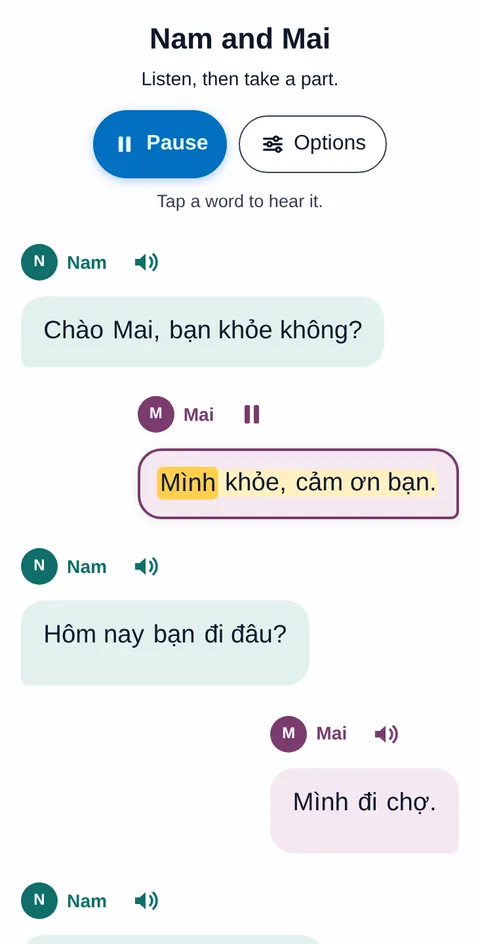
Follows the voice
Each word lights up at the moment it is spoken, and the sentence being read stays in view.
Tap a word to hear it
Tap any word to hear just that word, or repeat a whole sentence.
At the learner's pace
Slow the recording to 0.75× and replay a page or a turn as often as needed.


Meanings on hand
Word meanings and a word list, shown only when the learner wants them.
Translation that links up
Open the translation, then tap a word to see its partner light up in the same colour.
Take a part
In a conversation, learners pick a speaker, say that speaker's lines and compare their voice with the original.


How a read-along is made
Everything happens in the normal H5P editor. There is no extra software to install, and nothing is sent to an outside service.
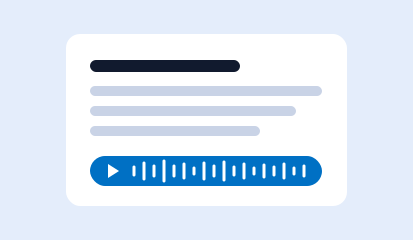
01 Add text and sound
Type or paste the story, then add a recording of it being read. One recording of a whole story can be split into pages.
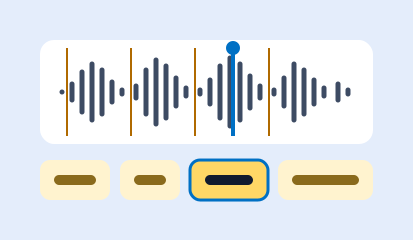
02 Time the words
Tap along with the recording, or start from estimated times, then nudge any word that is early or late.

03 Add meanings
Add word meanings and a translation if you want them. Learners choose when to see them.

04 Share it
Save it like any other H5P activity and put it in a page, a lesson or a course.

Made for languages that get left out
Read Along began with Mon, a language of Myanmar and Thailand with very few digital learning tools, and with Vietnamese. It needs only a recording and its text, so it suits small languages as well as large ones.
It works with scripts written without spaces between words, such as Mon and Burmese, and carries the Padauk font for Myanmar script.
Like the official H5P content types, it is free and open source under the MIT licence. Use it, change it, and share what you make.
- Mon The first language it was built for
- Vietnamese With word suggestions from the VNEDICT dictionary
- Your language next Any language you have a recording and its text for
Add it to your H5P site
All four content types are free. Choose the way that suits your site.
- Version 0.14.20
Read Along Storybook
A picture book with a cover, pages and a word list, for stories read aloud. Download the file and upload it on your site's H5P Libraries page.
Download Storybook - Version 0.1.10
Read Along Conversation
A dialogue between two to four speakers, shown as speech bubbles. Download the file and upload it on your site's H5P Libraries page.
Download Conversation - Version 0.1.1
Read Along Practice
Practice made from a story's or a conversation's own recording: hear each word in its sentence, fill the gap by ear, and say each sentence yourself. Download the file and upload it on your site's H5P Libraries page.
Download Practice - Version 0.1.2
Read Along Lesson
A whole lesson in one activity: a conversation, a story, practice and a quiz as sections, with one score at the end. Its file carries the other three, so it is the only one you need to upload.
Download Lesson - Gets updates
Add the LeapLearn hub
On WordPress, install the H5P Content Type Repository Manager plugin by SNORDIAN and set its address to the one below, without https://. All four content types then appear when you add content, beside the official ones, and take their updates from the hub.
hub.leaplearnstudio.com/v1


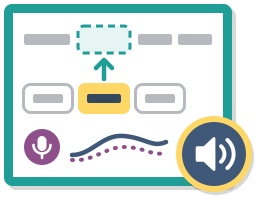
Tested on WordPress with the H5P plugin. All four need H5P core 1.27 or later, so keep your site's H5P plugin up to date. On Moodle, install by uploading the files: Moodle's H5P cannot be pointed at another hub. That has been tried on Moodle 5.3. Earlier Moodle versions and the Moodle app are not tested yet.
Good things to know
Is it free?
Yes. All four content types are free and open source under the MIT licence, like the official H5P content types.
Which platforms does it work on?
It has been tested on WordPress with the H5P plugin and tried on Moodle 5.3, and the current versions need H5P core 1.27 or later. On Moodle you install by uploading the files. Earlier Moodle versions and the Moodle app are not tested yet. It is built to the H5P standard, so it should work on other H5P platforms too.
Which languages can I use?
Any language you have a recording and its text for. So far it has been used with Mon and Vietnamese. It also works with scripts written without spaces between words.
How are the words matched to the recording?
In the editor you tap along with the recording to mark where each word starts, then adjust any word that is early or late. You can also start from estimated times.
Does it send learners' data anywhere?
No. The content types make no network calls of their own. A voice recording a learner makes, in a conversation or in Say it, stays in their own browser and is never uploaded.
Have a question or an idea?
Tell me how you would use it, or what is missing. Feedback from teachers shapes what gets built next.
Want a read-along built or hosted for you? Get in touch.
Get in touch